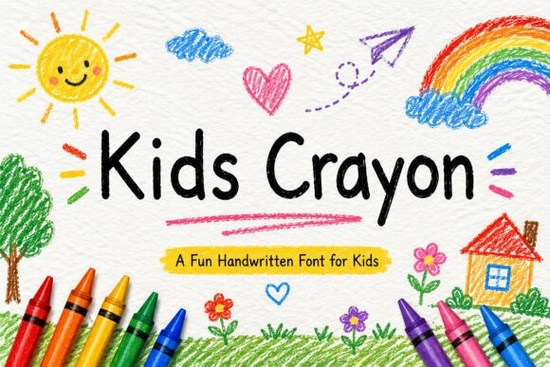
If you’ve ever tried to capture the messy charm of a child’s crayon drawing in your designs, Kids Crayon Font might be exactly what you’re looking for. It’s not just another playful typeface it’s built to feel like real crayon strokes, with uneven edges and cheerful imperfections that make it perfect for birthday invites, classroom posters, or even baby shower merch. Teachers, crafters, and small business owners who sell kids’ products will find this font especially handy because it adds warmth without needing extra illustration work.
What kinds of projects is Kids Crayon Font best for?
This font was made with hands-on creativity in mind. Think of those moments when you need something that feels homemade but still looks polished enough to print or cut on a Cricut. Here are some common uses:
- Educational worksheets – The friendly letterforms help keep young learners engaged.
- Toy packaging or labels – Adds a handmade, kid-approved vibe.
- Party invitations and banners – Especially birthdays, baby showers, or school events.
- T-shirts, tote bags, and stickers – Great for POD sellers targeting parents or preschools.
- Social media graphics – Stand out with a look that’s more personal than corporate.
- Nursery decor or wall art – Pair it with pastel colors or doodle-style illustrations.
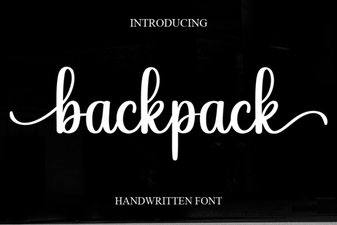
If you liked how Softie Note feels cozy and handwritten, or how Backpack brings a youthful energy, you’ll probably enjoy working with Kids Crayon too. It’s got that same approachable personality but leans even more into the “just drew this with my favorite crayon” aesthetic.
Does it support special characters or languages?
Yes and that’s one reason it’s so useful for educators or global sellers. The font includes uppercase and lowercase letters, numbers, punctuation, and multilingual support. It’s also PUA encoded, which means you can access alternate glyphs and swashes easily in design programs like Illustrator or Canva (with Pro). That’s helpful if you want to add little flourishes or connect letters more naturally.
For example, pairing it with Swift Marker gives you two casual handwriting styles that complement each other one more marker-like, the other more crayon-drawn. Or try layering it over Bridgerton for contrast between elegant script and playful scrawl.
Is it easy to install and use?
Very. Whether you’re using Silhouette Studio, Cricut Design Space, Adobe apps, or even free tools like Photopea, installation is the same as any OTF or TTF file. No complicated steps. And because the strokes are smooth and consistent (even though they look scribbly), you won’t run into weird cutting issues when making vinyl decals or iron-ons.
One tip: avoid tiny sizes. Since the letters mimic crayon texture, they lose clarity below 16pt. For printables or classroom posters, aim for 24pt or larger to keep everything readable and full of character.
How does it compare to other kid-friendly fonts?
It’s less rigid than blocky cartoon fonts and more authentic than overly polished “kids” typefaces. If you’ve used Angela, you know how soft and bouncy that script feels Kids Crayon has a similar energy but trades loops for chunky, crayon-like lines. It’s also less formal than fonts designed to look like chalkboard writing; this one wants to feel like it came straight from a coloring book.
You can see examples and grab your own copy here: Kids Crayon.
Any tips for getting the most out of this font?
- Pair it with simple sans-serifs. Let the crayon style shine by keeping body text clean and minimal.
- Add texture overlays. A subtle paper grain or watercolor wash makes it feel even more handmade.
- Use color intentionally. Bright primary tones? Pastels? Even black works it mimics the look of a black crayon sketch.
- Don’t overuse it. One or two words in Kids Crayon often have more impact than whole paragraphs.
Whether you’re designing flashcards for your toddler’s homeschool routine or creating Etsy listings for personalized growth charts, this font helps you speak visually in a way that feels warm, inviting, and authentically childlike without being childish.
Next step: Download the font, open your favorite design tool, and try setting the word “imagine” or “playtime” in three different sizes. See how the texture holds up and where it feels most at home. Then build around it you’ll know right away if it’s the right fit for your project.
Learn More Elevate Your Projects with Creative Cute Handwriting Fonts
 Backpack Font: Free Design Asset for Creative Projects
 Handcrafted Love Letter Font for Diy Projects
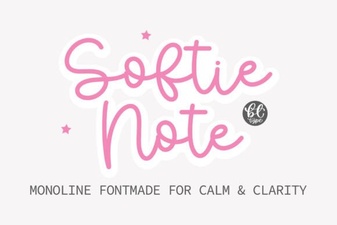 Softie Note Font: a Designer-Friendly Handwriting Script
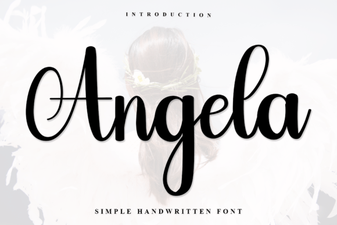 Angela Font: Creative Design and Typography Projects
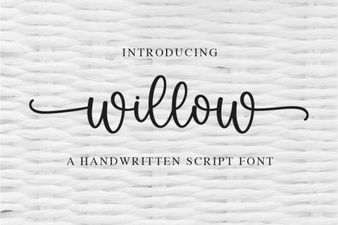 Download the Willow Font for Creative Projects