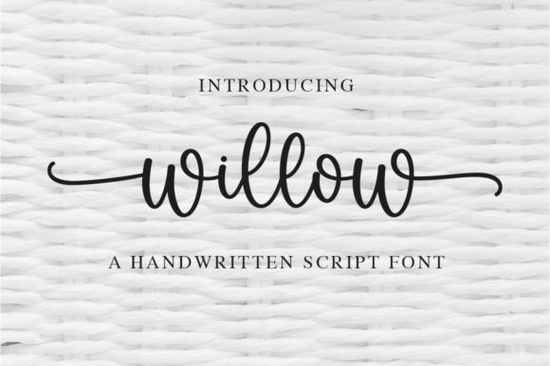
If you’re looking for a handwritten font that feels both graceful and effortless, Willow Font might be exactly what your next project needs. It’s not overly ornate or hard to read just a clean, flowing script with well-balanced letterforms that pair naturally with invitations, branding, packaging, or even casual social media graphics. Whether you’re designing for print-on-demand products, small business logos, or personal craft projects, Willow adapts without losing its charm.
One thing users appreciate right away is how easy it is to access all the extra characters. Because Willow is PUA encoded, you don’t need to dig through complicated glyph panels or install additional files. Swashes, alternates, and stylistic sets are built right in perfect if you’re using software like Adobe Illustrator, Canva, or Silhouette Studio. That accessibility makes it especially helpful for crafters who want professional-looking results without wrestling with font settings.
What kinds of projects work best with Willow?
Willow’s gentle curves and light stroke contrast make it ideal for designs that call for warmth and personality. Think wedding stationery, boutique labels, baby announcements, or feminine branding. It’s also surprisingly versatile for quotes, wall art, or apparel where readability matters as much as style.
- Wedding & Event Design: Pair it with a clean sans-serif for contrast something like OurStory works beautifully as a complementary title font.
- Small Business Branding: Use it for logo wordmarks, packaging tags, or Instagram story overlays. Its elegance reads as premium without feeling stiff.
- Craft & DIY Projects: Whether you’re cutting vinyl, printing stickers, or embroidering tote bags, Willow holds up at different sizes and still looks intentional.
How does it compare to other script fonts on Creative Fabrica?
Willow sits comfortably between casual handwriting and formal calligraphy. If you’ve used Angela, you’ll notice Willow has slightly more movement and bounce. Compared to Softie Note, it’s less rounded and more refined better suited for polished projects than playful ones. And while Swift Marker leans into a marker-drawn texture, Willow stays smooth and fluid, making it easier to scale cleanly.
For fans of period-inspired scripts, you might also consider Bridgerton but keep in mind that one carries more dramatic flair. Willow is quieter, more adaptable, and doesn’t compete with your imagery or layout.
Why PUA encoding matters (and why you’ll be glad it’s included)
PUA stands for “Private Use Area,” which basically means all the special characters swashes, ligatures, alternate endings are mapped to keys you can actually type. No hunting through menus. No missing glyphs. Just open your font, start typing, and use your keyboard shortcuts (like holding Shift or Option) to cycle through stylistic options. This is especially useful if you’re batch-producing designs or working under tight deadlines.
You can learn more about how PUA encoding works by checking out this reference: Willow Font.
Who should avoid this font?
Willow isn’t meant for body text or situations where maximum legibility is required like legal disclaimers or product ingredient lists. It also won’t suit edgy, industrial, or masculine branding. If your project calls for bold impact or sharp geometry, you’re better off exploring display or sans-serif families.
And while it’s beginner-friendly, those completely new to design software might want to practice first with simpler fonts like OurStory Font or Angela Font before layering in stylistic alternates.
Quick tips for getting the most out of Willow
- Spacing is key: Increase letter-spacing slightly if using all caps or long words it helps the flow feel natural, not cramped.
- Pair thoughtfully: Try combining with minimalist sans-serifs (like Montserrat or Lato) or delicate serifs for contrast.
- Test at size: Always preview your design at actual output size especially if printing small items like hang tags or business cards.
- Use swashes sparingly: One or two per line is plenty. Too many can look busy or unbalanced.
Whether you’re refreshing your font library or tackling a specific client request, Willow offers a quiet kind of polish that doesn’t shout it whispers, elegantly. And sometimes, that’s exactly the tone your design needs.
Next step: Open your current project file and test Willow alongside your existing fonts. See how it changes the mood you might be surprised how much character a single typeface can add without overwhelming your layout.
Explore Design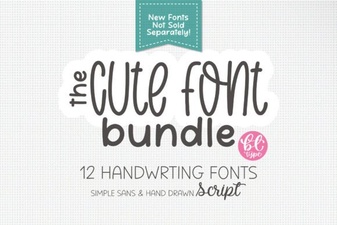 Elevate Your Projects with Creative Cute Handwriting Fonts
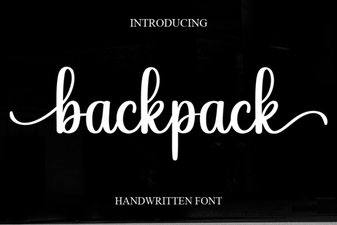 Backpack Font: Free Design Asset for Creative Projects
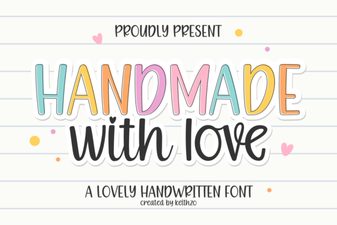 Handcrafted Love Letter Font for Diy Projects
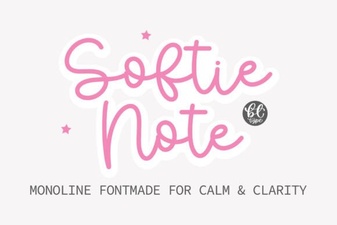 Softie Note Font: a Designer-Friendly Handwriting Script
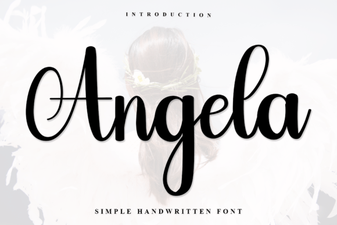 Angela Font: Creative Design and Typography Projects
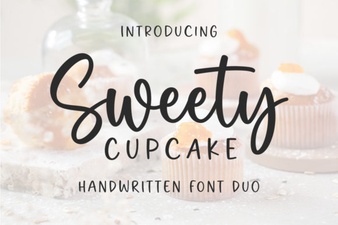 Sweet Cupcake Font: a Designer's Guide to Dessert Typography